AI Generated Business Card: Create a Digital Business Card With AI
What Is an AI Generated Business Card?
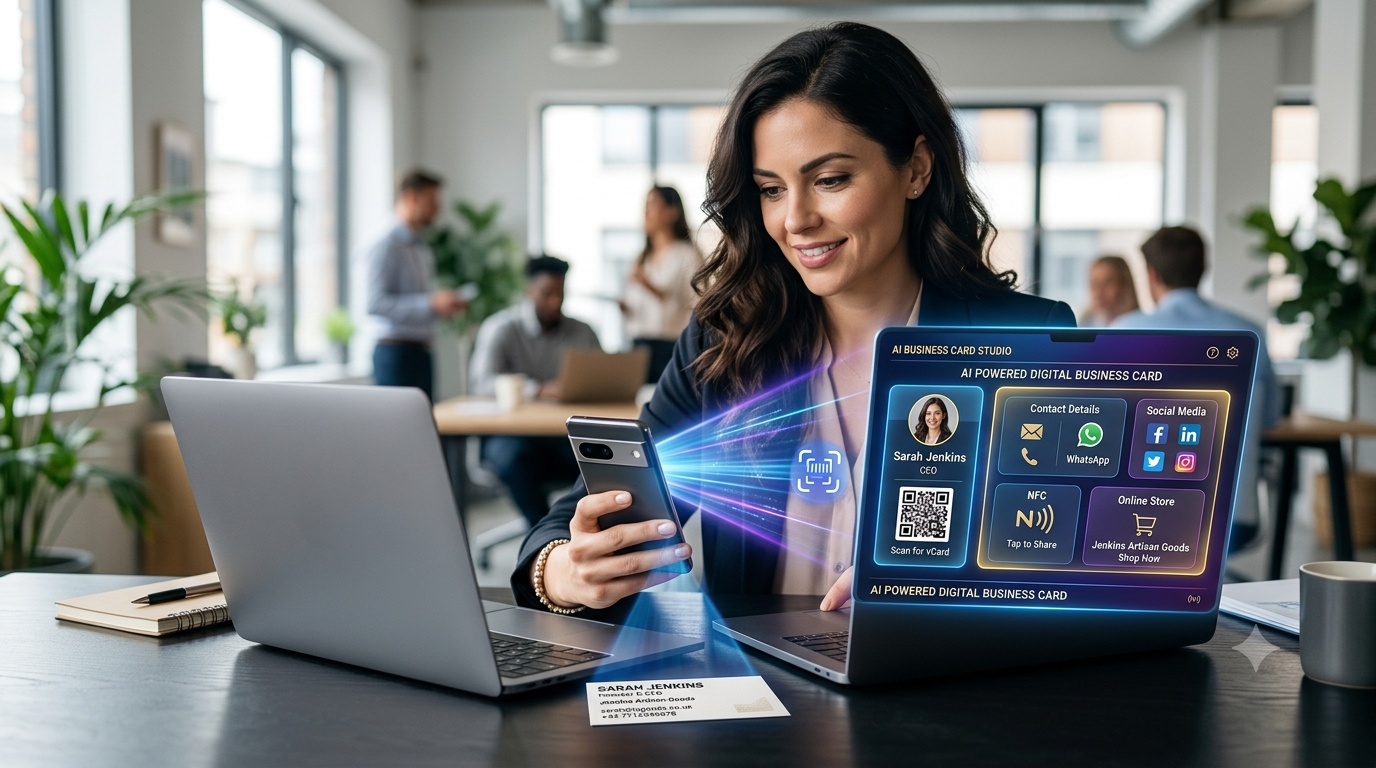
An AI generated business card is a digital business card created or assisted by artificial intelligence.
Instead of manually entering every detail into a digital business card platform, AI can help extract information, organize it and create a digital profile.
For example, you may already have a traditional printed business card containing:
- Nama
- Company
- Job title
- Phone number
- Laman web
- Business address
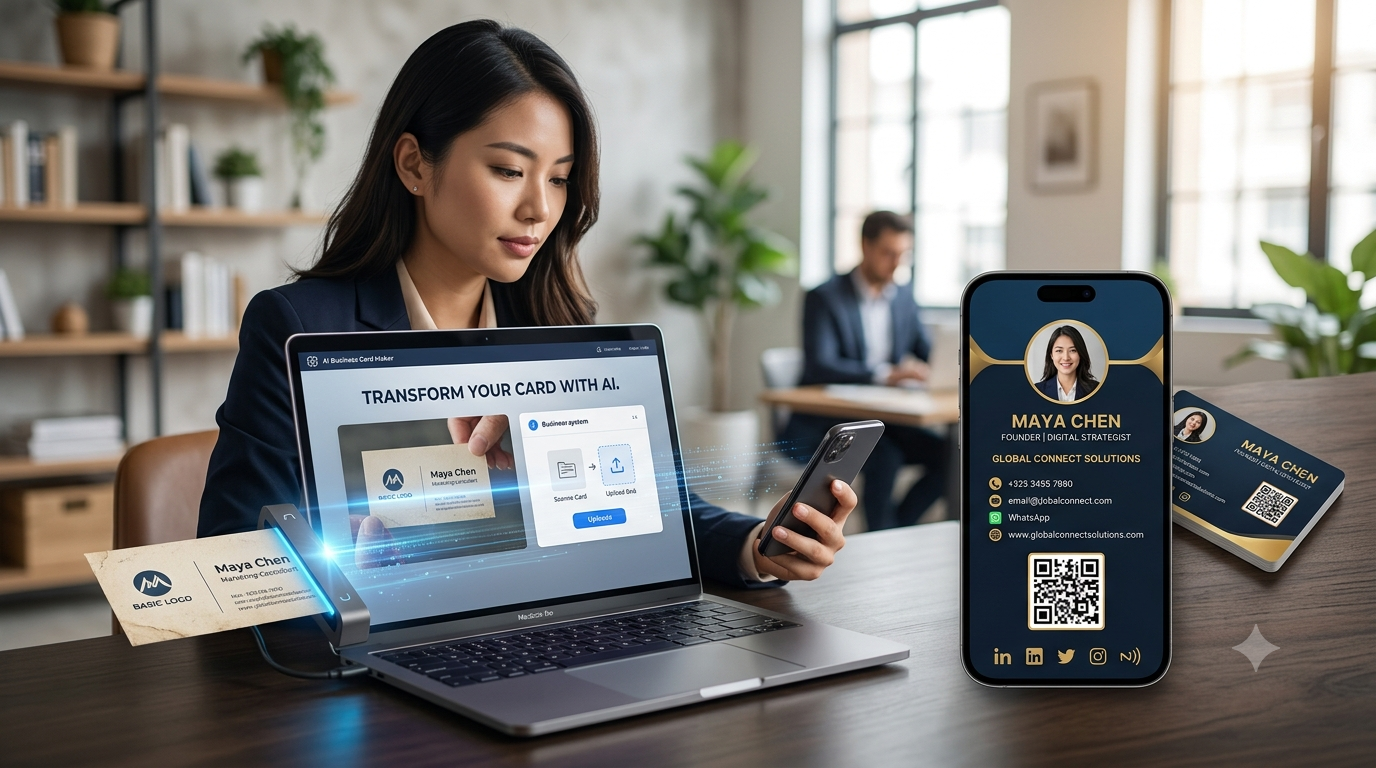
Instead of typing everything manually, you can upload aphoto of the physical business cardand use AI-powered technology to help convert the information into a digital business card.
The basic process is:
Physical Business Card → Upload Photo → AI Reads Information → Digital Business Card
This can make the transition from traditional business cards to digital business cards much faster.
How Does an AI Generated Business Card Work?
AI business card generation generally combinesimage recognition, text extraction and structured data processing.
A typical process can involve several steps.
Step 1: Upload Your Business Card
Take a clear photo of your existing physical business card and upload it to the platform.
Step 2: AI Analyzes the Image
The system identifies text and relevant information from the image.
It may recognize details such as:
- Nama
- Phone number
- Company
- Job title
- Laman web
- Alamat
- Social media information
Step 3: Information Is Organized
The extracted information can then be placed into the appropriate fields of a digital business card.
Step 4: Review the Information
AI isn't perfect, so you should review the extracted details and correct anything that was misread.
Step 5: Create Your Digital Profile
Once the information is confirmed, your digital business card can be created.
Step 6: Share Your Card
You can then share your digital card using:
- Digital link
- QR code
- NFC card
- Social media
AI Business Card vs Traditional Business Card
Traditional business cards have been used for decades.
But they have several limitations.
| Feature | AI Generated Digital Card | Traditional Business Card |
|---|---|---|
| Creation | AI-assisted | Manual design/printing |
| Physical printing | Not required | Required |
| Information | Expandable | Limited |
| QR code | Can be included | Can be printed |
| NFC | Can be connected | Requires NFC card |
| Direct link | Manual | |
| Laman web | Clickable | Manual typing |
| Social media | Direct links | Manual search |
| Updating information | Easy | Reprint required |
| Physical storage | Not required | Required |
| Sharing remotely | Easy | Difficult |
The biggest difference is that an AI-generated digital business card can combineautomation with digital functionality.
Why Are AI Generated Business Cards Becoming Popular?
AI is changing the way people create digital content.
Instead of starting with a blank form and manually entering every piece of information, AI can help automate repetitive tasks.
For business cards, this can be particularly useful when you already have a physical card.
Imagine having 20 printed business cards with all your information.
Previously, you might need to manually type every detail into adigital business cardplatform.
With AI-powered card conversion, you can start with:
Photo → AI → Digital Profile
This can save time and reduce repetitive data entry.
10 Benefits of AI Generated Business Cards
1. Saves Time
Manually entering business information can take several minutes.
AI can help extract information from an uploaded card image, reducing the amount of information you need to type manually.
2. Converts Physical Cards Into Digital Cards
One of the most useful applications is converting an existing physical business card into a digital profile.
You don't necessarily have to abandon your old business card.
Instead:
Upload → Convert → Review → Share
3. Reduces Manual Data Entry
Typing:
- Nama
- Telefon
- Laman web
- Company
- Alamat
can be repetitive.
AI can help identify these details from the image and organize them into digital fields.
4. Creates a More Complete Digital Profile
After the basic information is extracted, you can add additional digital information that isn't available on your physical card.
Contohnya:
- YouTube
- Perkhidmatan
- Produk
- Laman web
- Business location
This can turn a basic physical card into a more comprehensive digital business presence.
5. Easy to Update
Printed cards become outdated when your information changes.
A digital business card can generally be updated without printing a new card.
For example, if you change your phone number:
Update Digital Profile → Continue Sharing
instead of:
Change Phone Number → Print New Cards
6. Easy to Share
Once your AI-generated digital business card is ready, you can share it using a digital link or QR code.
You can also connect the profile to an NFC business card for tap-based sharing.
7. Connect With WhatsApp
A digital business card can include a WhatsApp option.
This allows customers to move directly from your profile to a WhatsApp conversation.
The journey can be:
Digital Card → WhatsApp → Customer Enquiry
This is particularly useful for businesses that use WhatsApp for sales and customer communication.
8. Add Social Media
Your physical card may not have enough space for all your social profiles.
A digital profile can include direct links to:
- YouTube
- X
This makes it easier for customers and professional contacts to connect with you online.
9. Connect an NFC Business Card
You can combine AI-generated digital cards with NFC technology.
The experience becomes:
Tap NFC Card → Digital Business Card → Contact / WhatsApp / Website
This gives your physical card a digital function.
10. Create an Online Business Presence
An AI-generated business card doesn't have to stop at contact information.
Businesses can use a digital profile to showcase:
- Produk
- Perkhidmatan
- Laman web
- Portfolio
- Social media
- Online store
This turns a simple business card into a small digital business hub.
YourCard.in AI Business Card Feature
YourCard.inmakes the transition from a traditional physical business card to a digital business card easier.
One of its useful features is the ability toupload a photo of an existing physical business cardand use AI to create a digital business card from it.
Instead of manually entering every piece of information, you can start with the card you already have.
The process is simple:
1. Take a Photo
Capture your existing physical business card.
↓
2. Upload the Image
Upload the card photo to YourCard.in.
↓
3. AI Reads the Card
AI analyzes the information shown on the card.
↓
4. Create Digital Card
The information can be used to build your digital business profile.
↓
5. Review & Edit
Check the extracted information and make corrections if necessary.
↓
6. Share Your Card
Share your new digital business card through your preferred method.
What Information Can an AI Business Card Extract?
Depending on the quality of the uploaded image and the information printed on the card, AI can identify common business-card details such as:
- Full name
- Company name
- Job title
- Phone number
- Alamat e-mel
- Laman web
- Business address
- Other printed information
The quality of the photo matters.
A clear, well-lit image with readable text generally gives AI a better chance of correctly identifying the information.
How to Get Better Results From AI Business Card Scanning
If you're uploading a physical card, follow these tips.
Use a Clear Photo
Avoid blurry images.
Use Good Lighting
Make sure the card isn't too dark or overexposed.
Keep the Card Flat
Place the card on a flat surface.
Avoid Reflections
Glossy cards can sometimes create glare that makes text difficult to read.
Capture the Entire Card
Make sure no important information is cut off.
Review AI Results
Always check the extracted information before publishing your digital card.
This is especially important for:
- Phone numbers
- Email addresses
- URLs
- Company names
A single incorrect character can make contact information unusable.
Can AI Create a Business Card From Scratch?
Yes, AI can also assist with creating business card designs and digital profiles from information you provide.
For example, you can provide:
Name + Company + Profession + Services + Contact Information
An AI-powered system can help structure the information into a professional digital profile.
However, AI-generated content should always be reviewed for accuracy and brand consistency.
For YourCard.in, one particularly useful workflow is converting anexisting physical card into a digital business card, because the original card already contains the essential business information.
AI Generated Business Cards for Small Businesses
Small businesses often have limited time and resources.
An AI-assisted digital business card can make it easier to create an online business presence without starting completely from scratch.
A small business can combine:
Digital Business Card + QR Code + WhatsApp + Social Media + Products
For example, a local retailer can provide:
- Business information
- Product categories
- Online store
- Lokasi
This can help customers discover the business and contact it more easily.
AI Business Cards for Professionals
AI-generated digital cards can be useful for many professionals.
Entrepreneurs
Create and share a professional digital profile.
Sales Professionals
Share contact information and product details quickly.
Freelancers
Showcase services, portfolio and social profiles.
Real Estate Agents
Share contact details, property links and WhatsApp.
Consultants
Present services and professional information.
Retailers
Show products and connect customers to WhatsApp.
Creators
Connect social media and portfolio links.
AI Business Card + NFC: A Powerful Combination
AI and NFC solve different problems.
AI
Helps youcreate the digital card faster.
NFC
Helps youshare the digital card faster.
Together:
Physical Card Photo → AI → Digital Business Card → NFC → Customer
This creates an interesting combination of automation and modern networking.
For example, you can upload an image of your existing physical card to create your digital profile and then use an NFC card to share that profile during meetings.
AI Business Card + QR Code
QR codes provide another easy way to share your digital card.
The combination can work like this:
AI
Creates your digital profile.
Kod QR
Lets people scan and open it.
NFC
Lets people tap and open it.
You can therefore offer:
AI + QR + NFC
as part of a complete digital networking strategy.
AI Business Card + WhatsApp
For many businesses, creating a digital card is only useful if customers can take action.
That's where WhatsApp can become important.
Your digital profile can provide a direct WhatsApp option.
Contohnya:
AI-Generated Digital Card → WhatsApp → Customer Conversation
This can be useful for:
- Jualan
- Customer enquiries
- Product orders
- Service bookings
- Business communication
AI Business Card + Online Store
Businesses that sell products can go one step further.
YourCard.in allows users to create online stores with different categories and redirect customers to WhatsApp for purchases.
The customer journey could be:
AI Digital Business Card
↓
Online Store
↓
Kategori Produk
↓
Product
↓
↓
Purchase Conversation
This turns the digital business card into more than a contact page.
Is an AI Generated Business Card Better Than a Normal Digital Business Card?
Not necessarily.
The main difference ishow the card is created.
A standard digital business card may require you to manually enter your information.
An AI-assisted business card can help automate the process, particularly when you're starting from a physical business card.
The final digital profile can contain similar features.
The advantage of AI is primarilyspeed and convenience.
Is an AI Generated Business Card Accurate?
AI-powered image recognition can make mistakes.
For example, it could misunderstand:
- A phone number
- Alamat e-mel
- Website URL
- Special characters
- Unusual fonts
- Small text
That's why you should always review the information after AI processing.
A good workflow is:
AI Extracts → User Reviews → User Corrects → Digital Card Goes Live
AI should make the process easier, but you should remain in control of the final information.
Soalan yang Sering Ditanya
What is an AI generated business card?
An AI generated business card is a digital business card created or assisted by artificial intelligence, often by extracting information from a physical card or organizing information into a digital profile.
Can AI convert a physical business card into a digital card?
Yes. AI-powered systems can analyze a photo of a physical business card and extract information that can be used to create a digital business card.
Can I create an AI business card for free?
Some platforms offer free digital business card features. Availability of AI-powered conversion and other advanced features depends on the platform.
Can an AI business card include WhatsApp?
Yes. A digital business card can include a WhatsApp contact option.
Can I connect an AI business card to NFC?
Yes. If your digital profile supports NFC sharing, you can use an NFC card to direct people to your AI-created digital business profile.
Can I add a QR code?
Yes. A QR code can provide another way for people to access your digital business card.
Can AI read a business card photo?
AI-powered image recognition can extract common information from a clear business card photo, although results can vary depending on image quality, fonts and layout.
Can I edit an AI-generated business card?
Yes. You should review and edit the information before publishing it to ensure everything is accurate.
Can I create an online store with my digital business card?
With YourCard.in, users can create online stores with different product categories and redirect customers to WhatsApp for purchases.
Final Thoughts
AnAI generated business cardcombines artificial intelligence with digital networking to make business-card creation faster and easier.
Instead of manually entering every detail from an existing physical card, you can upload a photo and let AI help extract the information.
The result can then become much more than a simple digital contact card.
You can combine:
AI + Digital Business Card + QR Code + NFC + WhatsApp + Social Media + Online Store
WithYourCard.in, you can upload your existing physical business card, create a digital version using AI, customize your profile, share it digitally, order an NFC card and even create an online store that connects customers to WhatsApp.
For professionals and businesses that already have traditional visiting cards, this provides an easy path fromphysical networking to digital networking.
Have a physical business card? Turn it into a smarter digital business card with AI and YourCard.in.