How to Share a Digital Business Card on WhatsApp: Complete Guide
Why Share a Digital Business Card on WhatsApp?
WhatsApp has become an important communication channel for businesses, professionals, freelancers and entrepreneurs.
When you meet a potential customer or business contact, you may want to share more than just your phone number.
എdigital business cardcan contain:
- നിന്റെ പേര്
- Business name
- Job title
- Phone number
- ഇമെയിൽ
- വെബ്സൈറ്റ്
- വാട്സാപ്പ്
- Social media
- Business address
- ഉൽപ്പന്നങ്ങൾ
- സേവനങ്ങള്
- Portfolio
- Online store
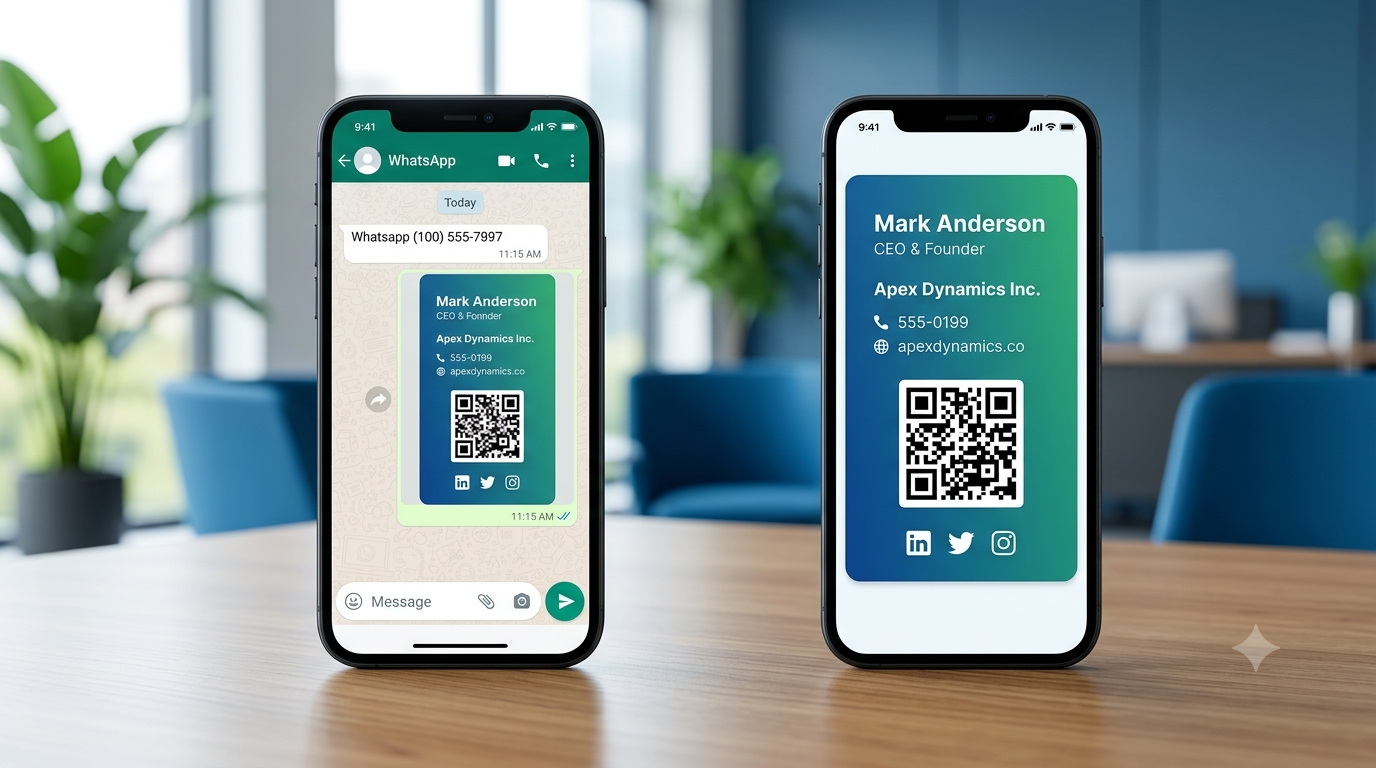
Instead of sending all this information separately, you can shareone digital business card link on WhatsApp.
The process can be as simple as:
Create Digital Card → Copy Link → Send on WhatsApp → Contact Opens Your Profile
This makes WhatsApp a convenient channel for sharing your professional identity.
What Is a Digital Business Card?
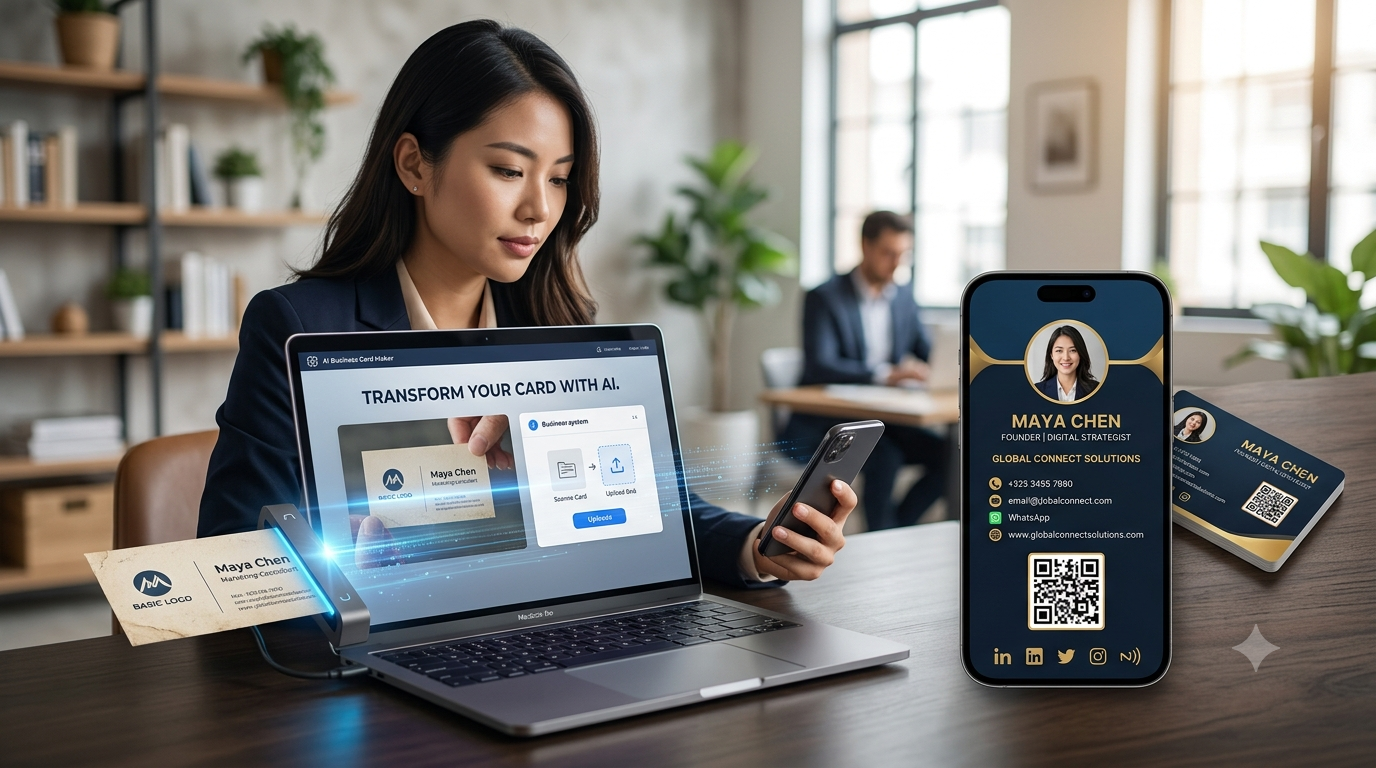
A digital business card is an online version of a traditional business or visiting card.
Unlike a printed card, a digital card can contain clickable links and interactive features.
For example, someone visiting your digital business card can tap:
വിളിക്കുക→ Call you
വാട്സാപ്പ്→ Start a conversation
ഇമെയിൽ→ Send an email
വെബ്സൈറ്റ്→ Visit your website
ഇൻസ്റ്റാഗ്രാം→ Open your profile
ലിങ്ക്ഡ്ഇൻ→ Connect with you
സ്ഥാനം→ Find your business
This makes digital business cards particularly useful for online communication.
5 Ways to Share a Digital Business Card on WhatsApp
There are several ways to share your digital business card through WhatsApp.
1. Share Your Digital Business Card Link
This is usually the easiest method.
First, create your digital business card and copy its URL.
Then:
- Open WhatsApp.
- Open the conversation.
- Paste your digital business card link.
- Add a short message.
- Send it.
ഉദാഹരണത്തിന്:
Hi, it was great connecting with you. Here is my digital business card with my contact details and business information: [Your Digital Card Link]
The recipient can tap the link and open your digital profile.
2. Share Your Digital Business Card Directly From Your Profile
Some digital business card platforms provide aപങ്കിടുകbutton.
You can select WhatsApp from the available sharing options.
The process may look like:
Digital Business Card → Share → WhatsApp → Select Contact → Send
This can save you from manually copying and pasting the URL.
3. Share Your QR Code on WhatsApp
Another option is to send yourdigital business card'sQR codethrough WhatsApp.
The recipient can scan the QR code using another device or save the image for later.
QR codes can be especially useful when you want to share your digital card in:
- WhatsApp groups
- Business communities
- Marketing messages
- Event groups
- Customer conversations
However, if you're already communicating through WhatsApp,sending the direct digital-card link is generally more convenientthan sending a QR image.
4. Share Your Contact Along With the Digital Card
You can also share your WhatsApp contact information and your digital business card together.
ഉദാഹരണത്തിന്:
Hi Rahul, this is Harshil from ABC Solutions.
Here's my digital business card: [Your Card Link]
You can also contact me directly on WhatsApp here.
This provides both a direct communication option and your complete professional profile.
5. Share Your Digital Business Card Using NFC
NFC is another way to share your digital business card, particularly during face-to-face meetings.
You can use an NFC business card to open your digital profile.
The interaction can be:
Tap NFC Card → Digital Business Card → WhatsApp
The person can then choose to start a WhatsApp conversation.
This makes NFC particularly useful when meeting customers or prospects in person.
How to Share YourCard.in Digital Business Card on WhatsApp
WithYourCard.in, you can create a digital business card containing your professional and business information.
You can include information such as:
- Full name
- Business name
- Designation
- Phone number
- ഇമെയിൽ
- വെബ്സൈറ്റ്
- വാട്സാപ്പ്
- Social media
- Business address
- ഉൽപ്പന്നങ്ങൾ
- സേവനങ്ങള്
Once your digital business card is created, you can share its digital link through WhatsApp.
Basic process:
Step 1: Create Your Digital Business Card
Add your professional information.
↓
Step 2: Customize Your Profile
Add your website, WhatsApp, social media, products and services.
↓
Step 3: Copy Your Digital Card Link
Use the link associated with your digital profile.
↓
Step 4: Open WhatsApp
Choose the customer, client or business contact.
↓
Step 5: Send Your Digital Card
Paste the link and send it with a short introduction.
Best WhatsApp Message Templates for Digital Business Cards
Simply sending a link can feel impersonal.
A short message can make your digital business card more effective.
Here are some examples.
For New Business Contacts
Hi, it was great meeting you. Here is my digital business card with my contact and business details: [Card Link]
For Customers
Hello! Here are my business details, services and contact information. You can find everything here: [Card Link]
For Sales Professionals
Hi, thanks for your time today. Here is my digital business card where you can find my contact details and product information: [Card Link]
For Networking
Great connecting with you! Here are my details. Feel free to save my digital business card: [Card Link]
For Freelancers
Hi! Here's my digital business card with my services, portfolio and contact information: [Card Link]
For Real Estate Professionals
Thank you for connecting. You can find my contact details and property information here: [Card Link]
Why Digital Business Cards Work Well With WhatsApp
WhatsApp and digital business cards complement each other.
A digital business card helps peoplelearn about you.
WhatsApp helps themcommunicate with you.
ഉദാഹരണത്തിന്:
ഡിജിറ്റൽ ബിസിനസ് കാർഡ്
→ About Your Business
→ Products
→ Services
→ Website
→ Social Media
→വാട്സാപ്പ്
This gives customers multiple ways to interact with your business.
Use Your Digital Business Card as a WhatsApp Lead Tool
Businesses can use digital business cards to make it easier for potential customers to start conversations.
ഉദാഹരണത്തിന്:
Customer sees your business
↓
Opens Digital Business Card
↓
Views Products
↓
Clicks WhatsApp
↓
Sends Enquiry
This can create a simple path frombusiness discovery to customer conversation.
Digital Business Card + WhatsApp for E-Commerce
If you sell products, your digital business card can act as an entry point to your online store.
With YourCard.in, users can create online stores with different categories and redirect customers to WhatsApp for purchases.
The customer journey can be:
ഡിജിറ്റൽ ബിസിനസ് കാർഡ്
↓
Online Store
↓
ഉൽപ്പന്ന വിഭാഗം
↓
Product
↓
വാട്സാപ്പ്
↓
Purchase / Enquiry
This can be particularly useful for small businesses that use WhatsApp as their primary sales channel.
Share Your Digital Card in WhatsApp Groups
WhatsApp groups can also be useful for professional networking.
ഉദാഹരണത്തിന്:
- Business networking groups
- Local business communities
- Professional groups
- Industry groups
- Entrepreneur groups
- Event groups
However, avoid repeatedly posting promotional links in groups where they aren't welcome.
A better approach is to share your digital card when it is relevant to the conversation.
ഉദാഹരണത്തിന്:
"For anyone who needs more information about our services, here's our digital business card."
Share Your Digital Card in WhatsApp Status
WhatsApp Status can be another way to promote your digital business card.
You can create a status such as:
"Need Digital Marketing Services? View My Business Profile"
Then include your digital business card link where appropriate.
You can also promote:
- New products
- സേവനങ്ങള്
- Offers
- Business announcements
- Contact information
Your digital card can act as the destination where people learn more.
Digital Business Card vs Sending Contact Details on WhatsApp
You could simply send:
Name: ABC Solutions
Phone: +91 XXXXX XXXXX
Email:example@email.com
But this gives the recipient only basic information.
A digital business card can provide:
Name + Company + Contact + Website + WhatsApp + Social Media + Products + Services
This makes a digital business card more useful when you want to provide a complete professional profile.
Benefits of Sharing a Digital Business Card on WhatsApp
1. Fast Sharing
You can send your card in seconds.
2. More Information
You aren't limited by the space of a printed card.
3. Clickable Contact Details
Customers can call, email or message you directly.
4. Easy Updates
You can update your digital profile without sending a new printed card.
5. Better Customer Experience
Customers can find your important information in one place.
6. Easy Follow-Up
Your contact remains accessible through the digital profile.
7. Works for Remote Networking
You don't need to meet someone physically to share your card.
8. Can Include Products and Services
Your digital profile can become a mini business showcase.
How to Make Your Digital Business Card More Effective on WhatsApp
Keep Your Profile Updated
Make sure your phone number, email, website and business information are current.
Use a Professional Profile Photo or Logo
This makes your digital profile easier to recognize.
Add WhatsApp
Make it easy for customers to start a conversation.
Add Your Website
Provide a path to your full online presence.
Add Social Media
Help customers find your business online.
Add Products and Services
Show people what you offer.
Keep Your Sharing Message Short
Don't send a huge promotional message with the card.
A simple introduction plus your digital-card link is often enough.
How to Share a Digital Business Card From Your Phone
Whether you use Android or iPhone, the basic process is similar.
On Your Phone:
- Open your digital business card.
- Tap theപങ്കിടുകoption.
- തിരഞ്ഞെടുക്കുകവാട്സാപ്പ്.
- Choose the contact or group.
- Add a short message.
- Send.
If your platform doesn't provide direct WhatsApp sharing:
- Copy your digital card URL.
- Open WhatsApp.
- Select a contact.
- Paste the URL.
- Send.
Can You Share a Digital Business Card Internationally on WhatsApp?
Yes.
One of the advantages of a digital business card is that you don't need to physically send a printed card.
You can share your digital profile with customers and business contacts in different countries through WhatsApp.
This can be useful for businesses targeting customers in:
- ഇന്ത്യ
- USA
- UK
- ഓസ്ട്രേലിയ
- കാനഡ
- UAE
- Other international markets
The recipient simply needs internet access to open your digital profile.
Digital Business Cards for Sales Professionals
Sales professionals can particularly benefit from sharing digital cards through WhatsApp.
Imagine meeting a potential customer and then sending:
"Great meeting you today. Here's my digital business card with my contact details and product information."
The customer can then:
Open Card → View Products → Visit Website → Contact Salesperson
This makes the digital business card part of the sales follow-up process.
Digital Business Cards for Freelancers
Freelancers can use WhatsApp to share:
- Portfolio
- സേവനങ്ങള്
- Previous work
- Contact details
- Social media
- വെബ്സൈറ്റ്
Instead of sending multiple links, send one digital business card.
One Link → Complete Professional Profile
Digital Business Cards for Small Businesses
Small businesses can use WhatsApp and digital business cards together to create a simple online presence.
ഉദാഹരണത്തിന്:
Digital Card
→ Business Information
→ Products
→ Services
→ Location
This can be particularly useful for businesses that don't want to maintain a complicated website.
What About Sharing a Physical Business Card Photo on WhatsApp?
You can also send a photo of your traditional business card through WhatsApp.
However, a photo is usually less interactive.
A digital business card can provide clickable actions.
Physical Card Photo
View Image → Manually Type Details
ഡിജിറ്റൽ ബിസിനസ് കാർഡ്
Open Profile → Tap Call / WhatsApp / Website / Social Media
That's one reason digital business cards are becoming an increasingly useful alternative to simply sending an image of a printed card.
പതിവുചോദ്യങ്ങൾ
How do I send a digital business card on WhatsApp?
Copy your digital business card link, open WhatsApp, choose a contact and send the link with a short message.
Can I share a digital business card directly from WhatsApp?
Yes. If your digital business card platform provides WhatsApp sharing, you can use its share option to send the card directly.
Can I add WhatsApp to my digital business card?
Yes. A digital business card can include a WhatsApp button that allows visitors to start a conversation.
Can I share my digital business card internationally?
Yes. You can share a digital card link with contacts in other countries through WhatsApp.
Can I share my digital card through WhatsApp Status?
Yes. You can share your digital card link through WhatsApp Status where link sharing is supported.
Can I share my digital card in WhatsApp groups?
Yes, but share it responsibly and only when relevant to the group.
Can I share a digital business card with customers?
Yes. Digital business cards are useful for sharing business information with customers, leads and professional contacts.
Can I connect an NFC card to WhatsApp?
Yes. An NFC card can open a digital business card containing a WhatsApp contact option.
Final Thoughts
Sharing a digital business card on WhatsApp is one of the simplest ways to combineprofessional networking with instant digital communication.
Instead of sending multiple pieces of information, you can send one link containing:
Your Name + Business + Contact + WhatsApp + Website + Social Media + Products + Services
WithYourCard.in, you can create your digital business card, add WhatsApp and other contact options, showcase products and services, create an online store and share your digital profile through WhatsApp.
You can also combine yourdigital card withQR codes and NFC cardsfor face-to-face networking.
The result is a simple customer journey:
Meet → Share → Open → Connect → Follow Up
Create your digital business card with YourCard.in and make every WhatsApp connection more professional.